
Make room for Fieldwork.
Download the Android APK and install Fieldwork. This is an early development build, so keep a backup of anything important.
LOCAL AI. ON YOUR TERMS.
Meet Fieldwork. A private AI workspace for Android, where conversations, ideas and projects feel at home.
All on your own device, all offline.
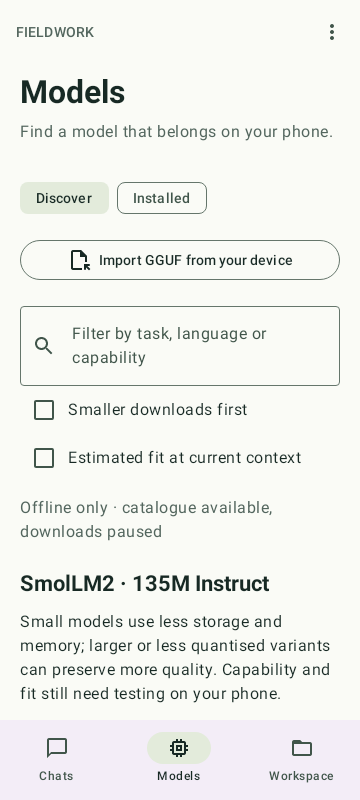
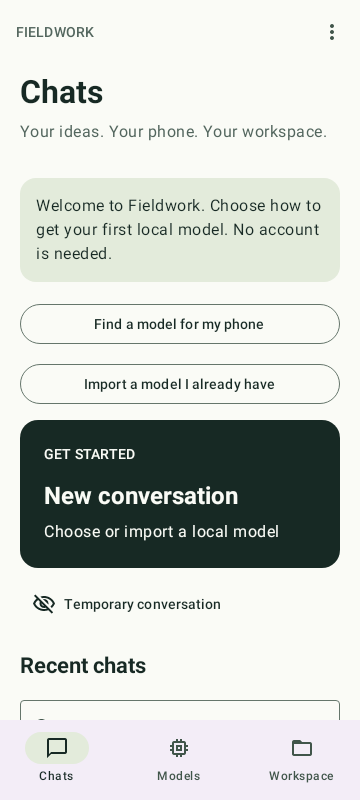
01 / MAKE YOURSELF AT HOME
Start a conversation. Find the right model. Give your work its own space. Fieldwork keeps the essentials close.
YOUR CHATS
Draft something new, untangle a piece of code, or pick up where you left off. Stream replies from your local model and stop whenever you need.
YOUR MODELS
Browse the curated catalogue or import a GGUF file you already have. Check storage requirements and run a quick test on your own phone.
YOUR WORKSPACE
Keep instructions, conversations and source documents together. Ask questions of the material you choose, with references back to the extracted passages.
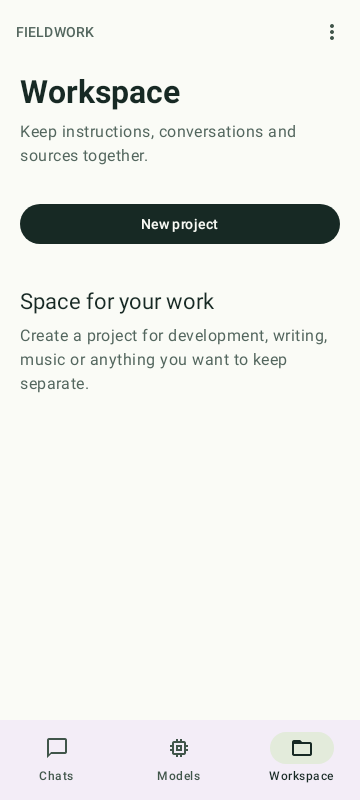
02 / KEEP IT PERSONAL
You shouldn’t need an account to think out loud. Fieldwork runs language models on your phone, with no cloud inference, app telemetry or ads.
Model and optional asset downloads need a connection. System speech depends on installed offline services.
03 / YOUR FIRST FIVE MINUTES
Download the Android APK and install Fieldwork. This is an early development build, so keep a backup of anything important.
Find a model in the catalogue or import a GGUF. Start small: the right fit depends on your phone’s available memory and storage.
Run the quick test, open a chat and ask your first question. Once the model is installed, you can leave the connection behind.
A FEW THINGS TO KNOW
The current APK supports Android 9 or newer on arm64-v8a and x86_64 devices. Model fit and speed depend on available RAM, storage and context settings. There are no physical-device benchmark claims for this build; start with a small model and use Quick test.
Yes, after installing a compatible model. You can also transfer a GGUF to your phone and import it offline. Downloading the APK, models or optional assets needs internet. Offline-only mode blocks the app’s external transfers.
No. Model weights are separate from the APK. Choose a model through the catalogue, review its requirements and licence, or import a compatible GGUF file of your own.
Version 0.2.0 is signed with an Android debug certificate. It has build and host/JVM verification, but no recorded emulator or physical-device acceptance test. Models can make mistakes; check important answers and source references. Read the release notes.
INDEPENDENT BY NATURE.
Take your next idea into Fieldwork.